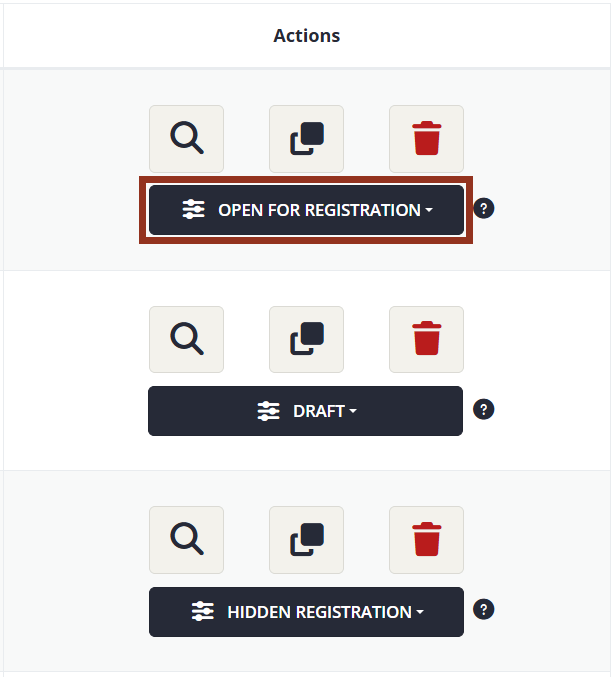
Is it in Open for Registration mode?
Only products in Open for Registration mode appear in the site Catalog and in default Product List widgets.
Only products in Open for Registration mode appear in the site Catalog and in default Product List widgets.
Is the Start Sales Date in the past, and is the End Sales Date in the future or marked as No End Sales (Fig. 2)?
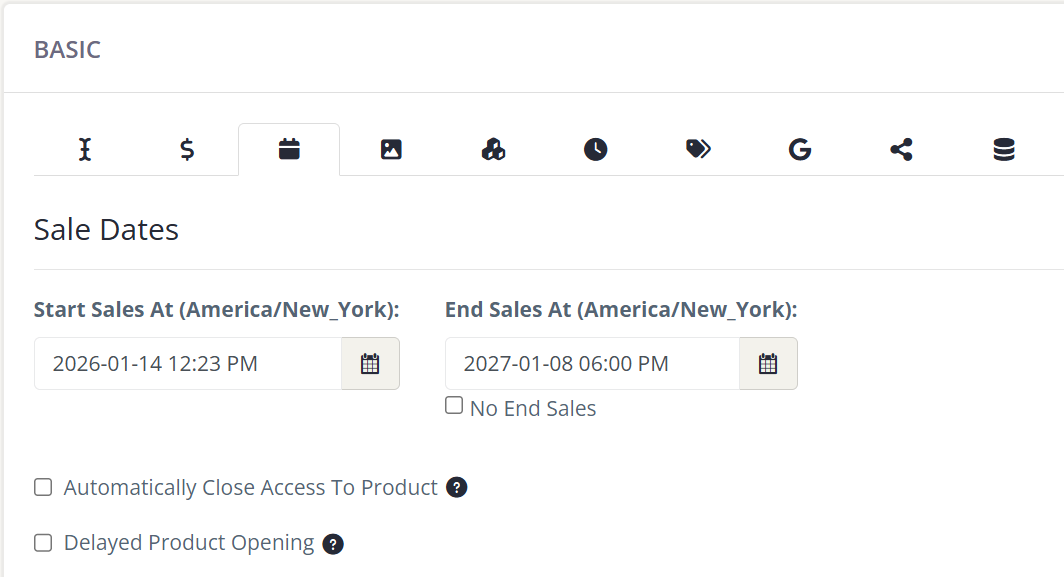
Fig. 2 - Basic Settings Sales Dates Options.
All products need at least one component to be publicly visible (Fig. 3).

Fig. 3 - Product Component.
Admin accounts do have user types. If a product is only visible to some, but not all, user types, it is possible your admin account is one of the user types that cannot view the product. You can check your admin account’s user type under Users > User Listing.
If you frequently create products that are only available to a subset of your user types, it is recommended to have test accounts for each user type available so you can log in as the specific user type as needed.
A product in Private Registration mode does not appear publicly in the site Catalog or Product List widgets. If a product is in Private Registration, the intention is for the admin to control enrollment by enrolling users from the backend of the site (Fig. 4).
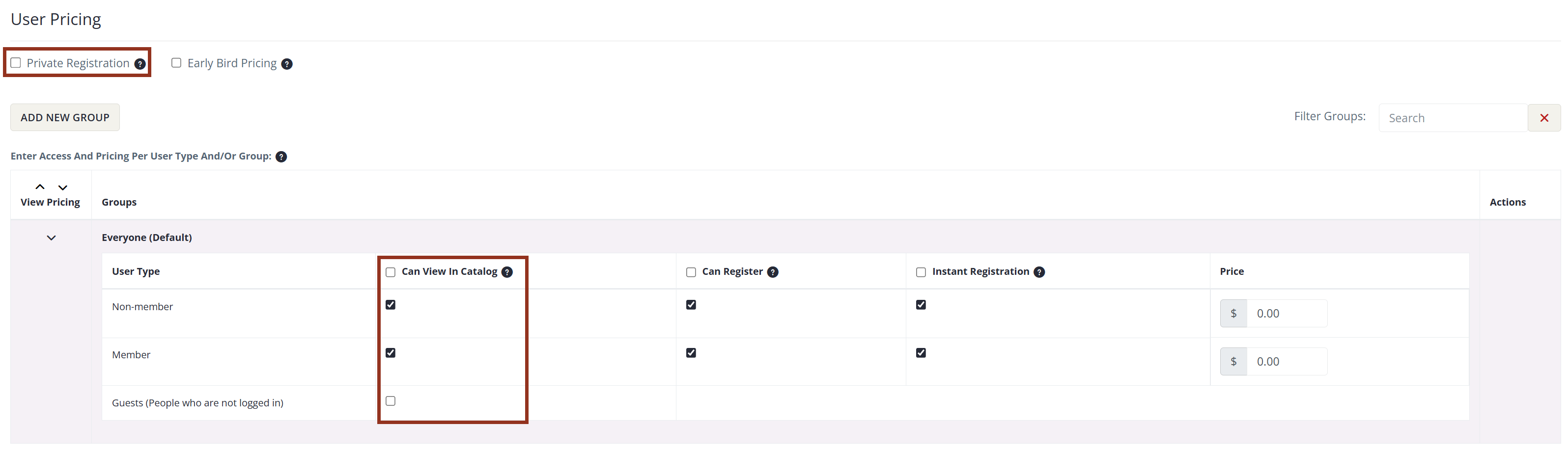
Fig. 4 - Basic Settings Pricing Options.
Product List widgets can be set to show only products in Open for Registration mode, only products in Hidden Registration mode, or both. Ensure this setting aligns with the status you have set for your products (Fig. 5).
If the Product List widget is set to filter by a specific category, is the product you intend to display tagged as part of that category?
If this is set to only show Live or only show On-Demand courses, does that match the format of the product(s) you are trying to display?
If the Product List widget is set to filter by a specific Product Type, is the product you intend to display tagged as part of that Product Type?
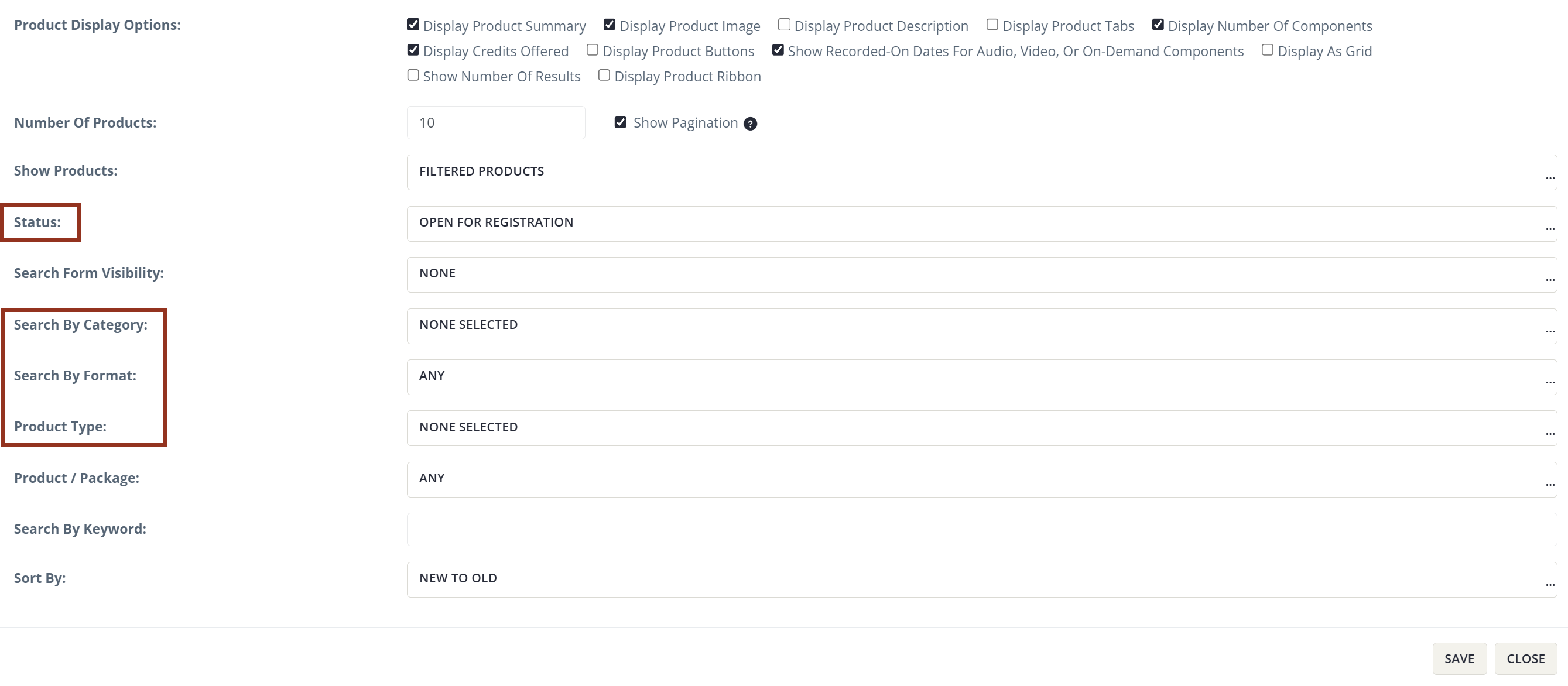
Fig. 5 - Widget Management Options.
That’s Great!
Thank you for your feedback
Sorry! We couldn't be helpful
Thank you for your feedback
Feedback sent
We appreciate your effort and will try to fix the article