Elevate Release Notes
February 2026
PLEASE NOTE
This page will be updated throughout the month as new releases are deployed, so check back regularly for the latest updates and improvements.
This month's release may include product updates, new features, enhancements, essential bug fixes, and more.
Improvement
Updated Branding in Elevate
Elevate now features refreshed Cadmium branding, including updated colors and icons for a cleaner, more cohesive look (Fig 1). This update brings Elevate into closer visual alignment with the broader Cadmium platform and improves consistency across products. There are no changes to functionality or workflows; everything works exactly as it did before. (February 10, 2026)
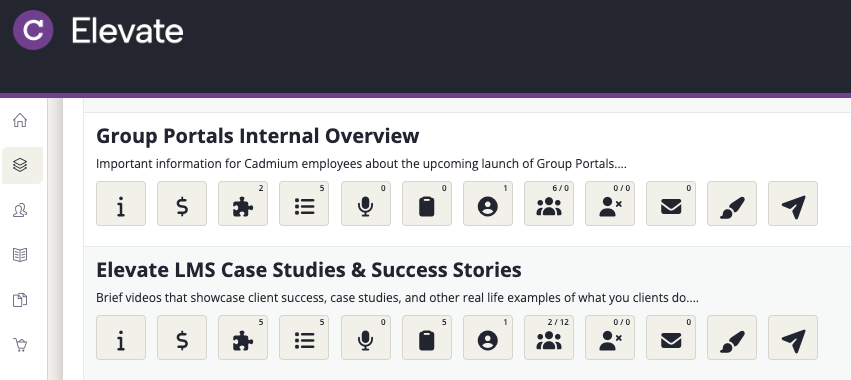
Fig. 1 - Updated branding in Elevate
Enhancement
Speaker Import Without Existing Components
The Harvester import process has been enhanced to support speaker management workflows in Elevate when presentations are imported without associated components (Fig 1).
Administrators can now choose to automatically create a minimal (shell) component during import, allowing all presentation speakers to be assigned even when no component exists in the destination product. This enables teams to manage speaker data in advance and configure webinar or content components later in Elevate.
This update improves flexibility for teams using Education Harvester primarily for speaker management while configuring content separately within Elevate. (February 4, 2026)
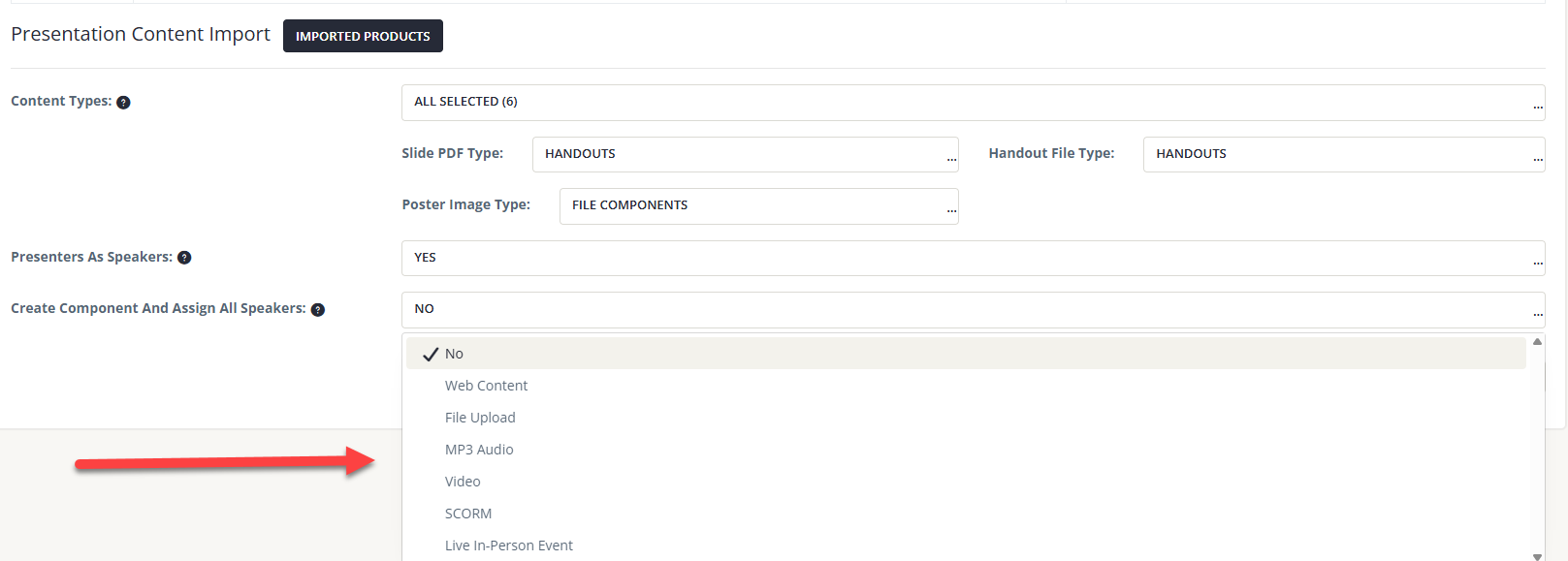
Fig. 1 - Speaker Import Without Existing Components
Clearer Product Completion Status
Product status labels have been updated to better reflect learner progress. Completed items are now clearly marked as completed, while unfinished items remain labeled as active, making it easier for users to quickly identify what still needs their attention without opening each product (Fig. 2). (February 11, 2026)
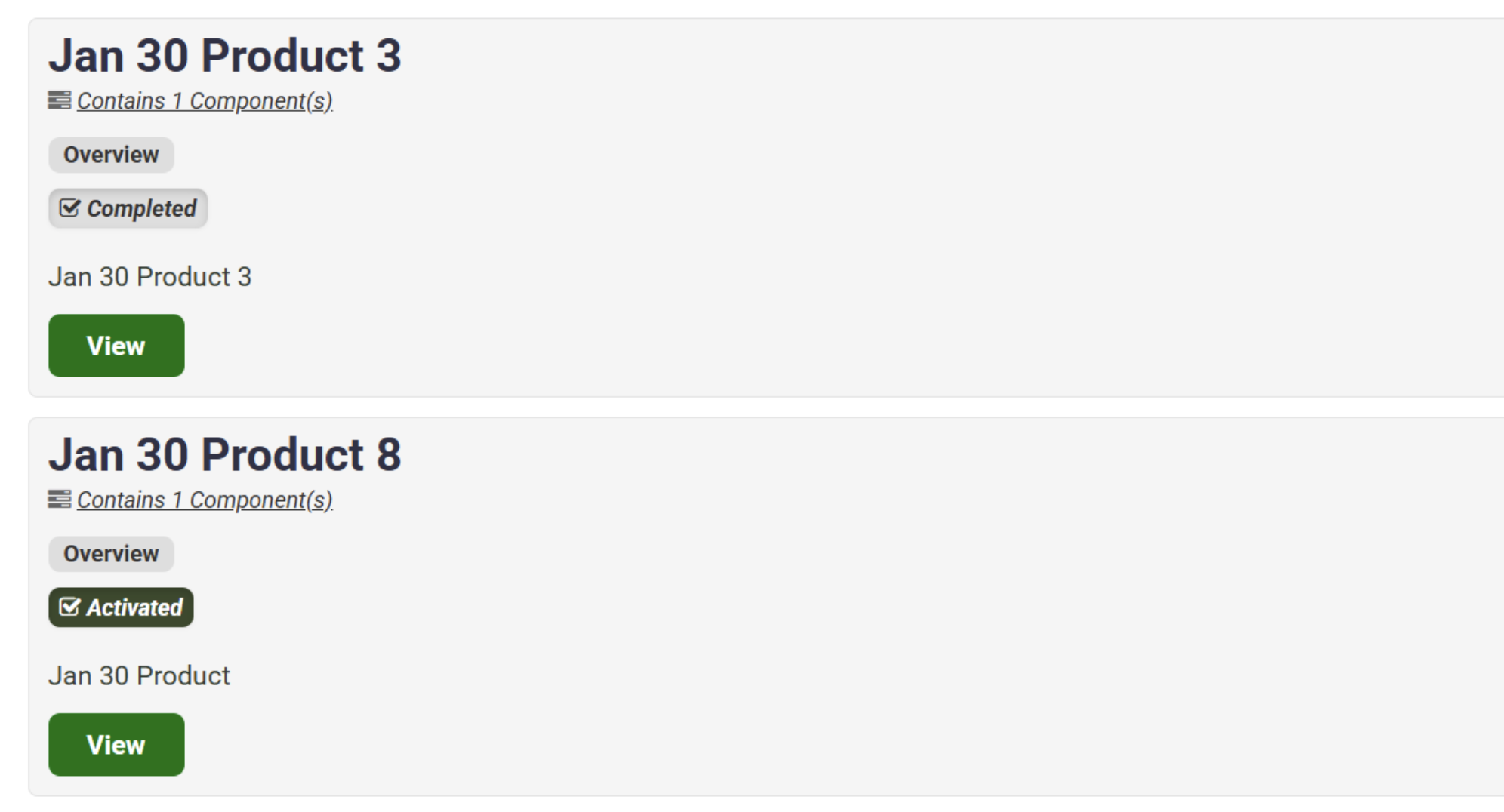
Fig. 2 - Updated Product Status Labels.
Fix
User Creation Rate Limiting Implemented
We've updated how user creation rate limiting is handled to better balance protection and flexibility. A rate limit is now in place to prevent automated or excessive account creation, allowing up to 100 users per 60 seconds per IP address. The limit can be temporarily disabled when high volumes of legitimate users need to sign up at the same time.
The updated behavior has been verified to work as expected. When enabled, new user creation is appropriately rate limited, and when the limit is temporarily disabled, it automatically reactivates after the configured time period. (February 4, 2026)
Was this article helpful?
That’s Great!
Thank you for your feedback
Sorry! We couldn't be helpful
Thank you for your feedback
Feedback sent
We appreciate your effort and will try to fix the article