The AI Writing Assistant is available in the Elevate Admin Portal. It helps quickly improve and refine text, allowing you to produce polished, professional content while retaining full editorial control before saving changes.
For more information on the AI Writing Assistant's capabilities, refer to the AI Writing Assistant Overview article.
Within Elevate, the AI Writing Assistant is available in the following Rich Text Editors (RTEs):
Product Description fields (Fig. 1)
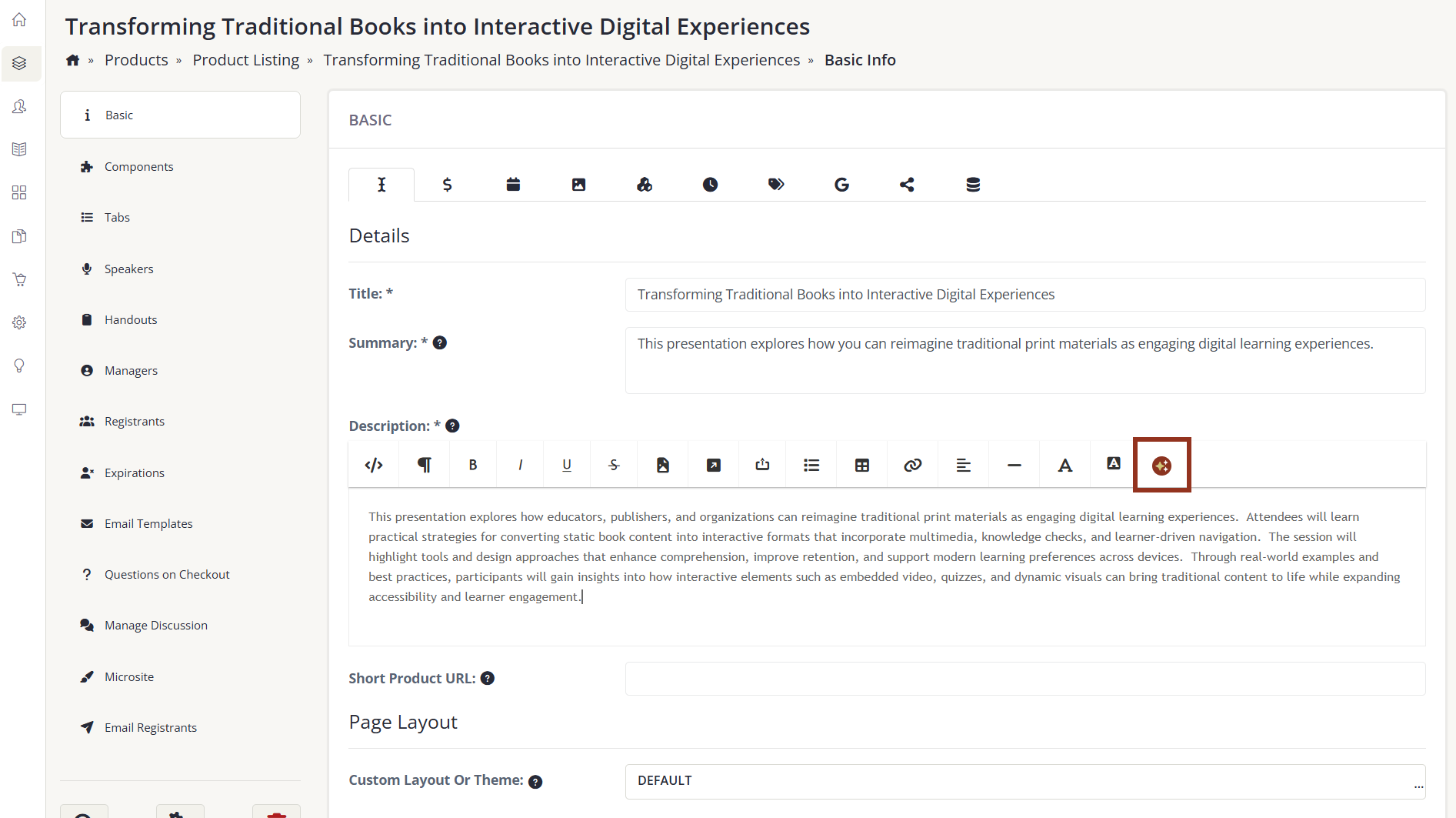
Fig. 1 - Product Description Field.
Email Body fields (Fig.2)
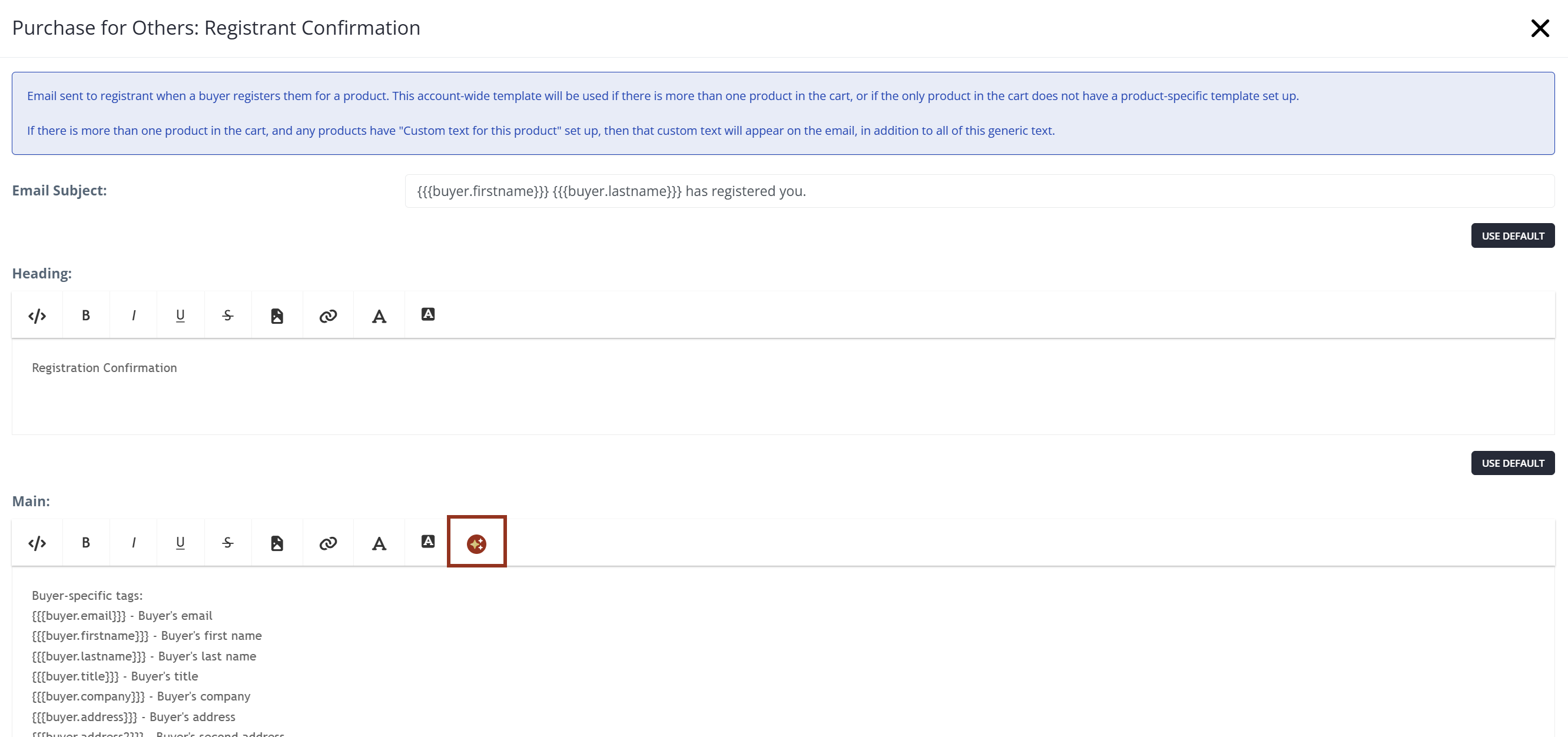
Fig. 2 - Email Body Field.
NOTE
Customers who wish to disable AI entirely may do so by contacting customer support. We do not currently support selectively enabling or disabling individual AI features.
Was this article helpful?
That’s Great!
Thank you for your feedback
Sorry! We couldn't be helpful
Thank you for your feedback
Feedback sent
We appreciate your effort and will try to fix the article